Code Your First Game: Arcade Classic in JavaScript on Canvas
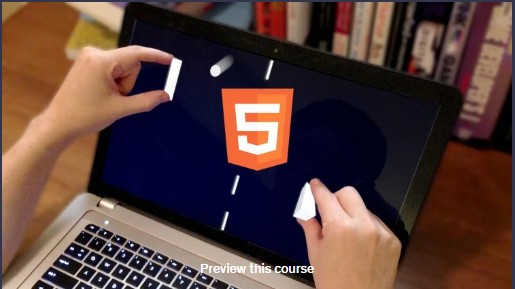
🌐 Program Overview
-
Offered by: Udemy
-
Instructor: Chris DeLeon
-
Enrollments: 270,000+ learners
-
Program Type: Self‑paced online course — game development fundamentals
-
Level: Beginner
-
Duration: ~2 hours
-
Format: 100% online, on‑demand video
-
Rating: ★★★★☆ (~4.5/5 from thousands of reviews)
🎯 Why Enroll
-
Learn to build a playable game from scratch — no special software required, just a text editor & browser.
-
Get a hands‑on introduction to core game programming concepts: game logic, collision detection, input handling, scoring, and game flow.
-
Perfect for absolute beginners — start immediately and finish quickly.
-
Build a foundation for future game development — skills apply widely, beyond just JavaScript/Canvas games.
💡 What You’ll Learn
-
Display and move shapes for retro-style game objects (ball, paddle, etc.) on HTML5 Canvas.
-
Implement movement, collision detection and response (e.g., bouncing ball, paddle interaction).
-
Handle real-time mouse input for user controls.
-
Use basic game logic: score tracking, win/lose conditions, game reset & flow control.
-
Understand simple AI and behavior (e.g., automated paddle behavior) and how to code for it.
🧠 Skills You’ll Build
Game programming fundamentals • JavaScript for games • HTML5 Canvas graphics • Game logic & control flow • Collision detection & physics basics • Real‑time input handling • Basic AI logic • Game state management • Debugging & code structuring for games
Related Courses

🔧 Tools You’ll Use
-
Plain text editor (Notepad, VS Code, etc.)
-
Web browser (to run the game)
-
HTML5 & JavaScript (no additional frameworks required)
🧩 Applied Learning Project
By the end of the course, you’ll have fully coded a simple but complete “ball-and‑paddle” / classic arcade‑style game — including gameplay mechanics, scoring, collision physics, input controls, and game flow logic. This provides a hands‑on foundation you can build on if you choose to pursue more advanced game development.
📘 Course Modules (Approximate)
-
Setting Up & First Code File
-
Drawing Shapes & Positioning
-
Movement & Basic Physics (Ball Bouncing)
-
Paddle & Collision Handling
-
Input Handling & Controls (Mouse)
-
Scoring, Win/Lose Conditions & Game Reset
-
(Optional polish: AI Paddle behavior, enhancements)
💼 Course Benefits
-
Build your first playable game in just a couple of hours — no prior coding or tools required.
-
Understand core game mechanics and logic, transferable to other languages or engines.
-
Access a free or low‑cost course — low barrier to entry.
-
Learn at your own pace, from anywhere, on your own schedule.
-
Create a portfolio-ready project to show to friends, collaborators, or potential employers.
🎓 Earn a Credential
Upon completion, you receive a Udemy certificate of completion — a nice credential to showcase on LinkedIn or your CV, signaling you started hands‑on coding and game development.
🎓 Next Steps
If you’re ready to explore game development, enroll in “Code Your First Game” and start building — your first game could be ready by tonight.